Overview
The Revol Tracker monitors visitor activity on your website. It collects session data, pageviews, custom events, and campaign attribution — all through the same script that powers the chat widget. No additional code needed.
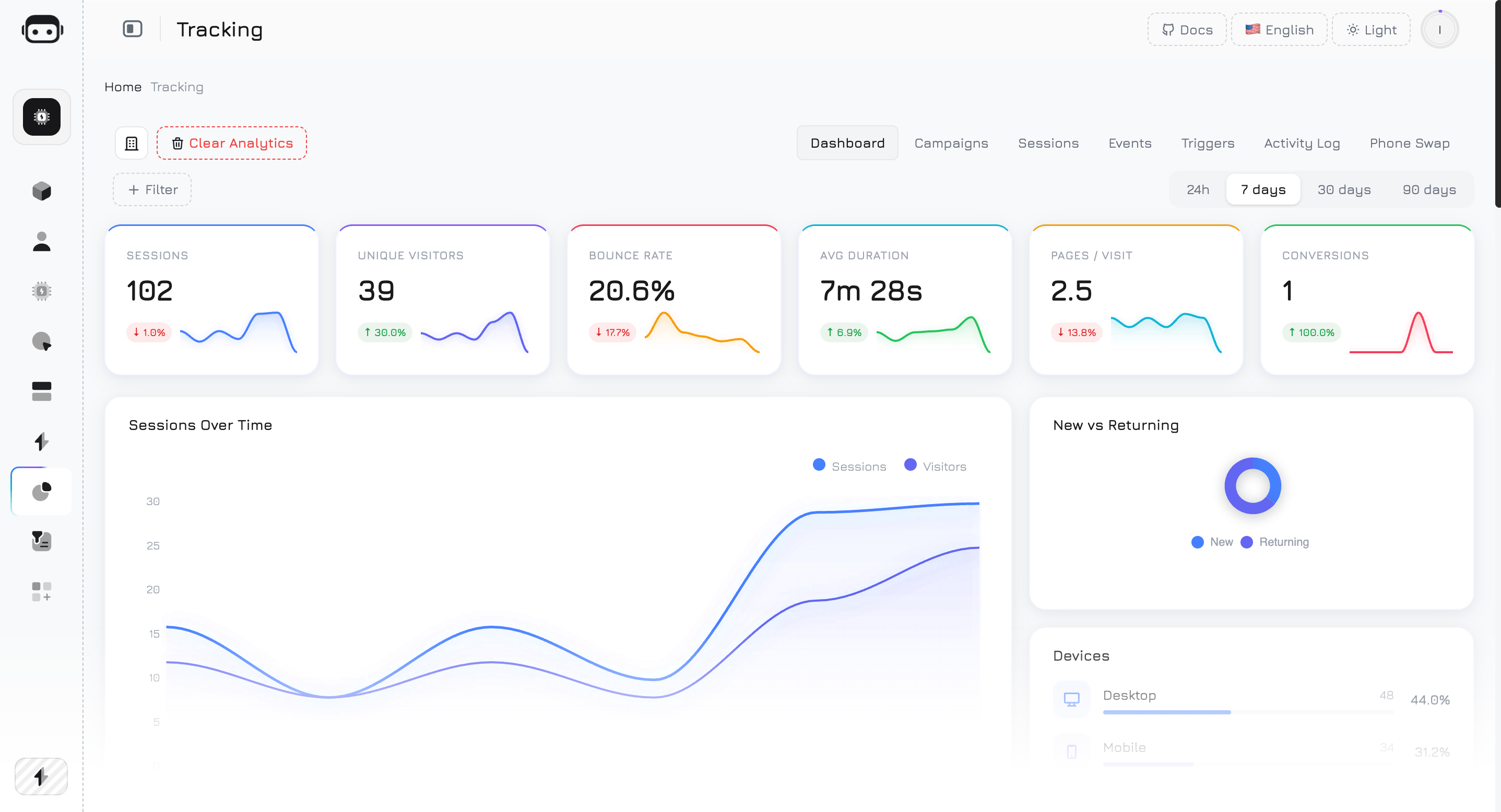
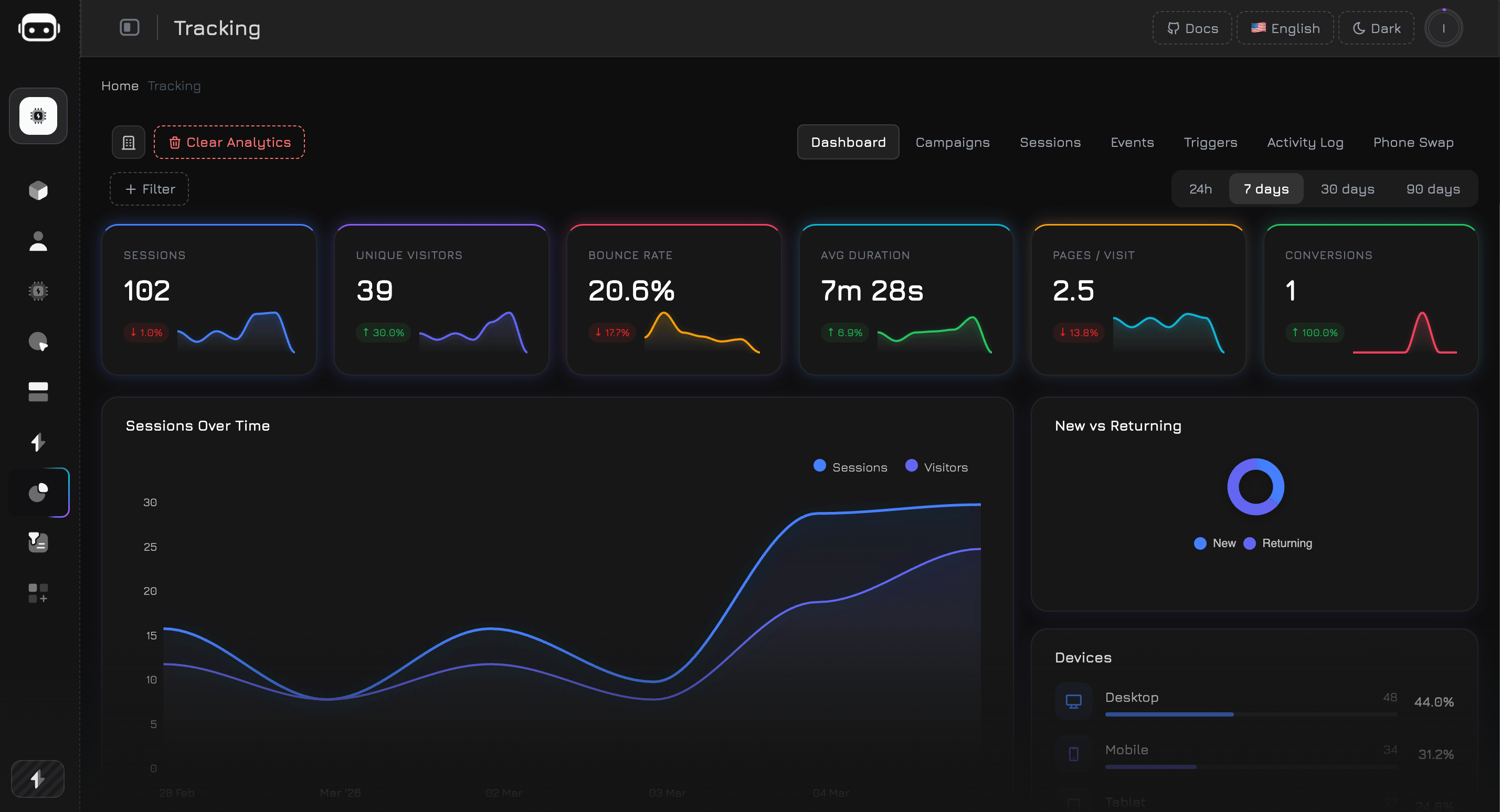
The Dashboard provides a real-time overview of your website’s traffic and visitor behavior. Data refreshes automatically every 60 seconds.
Data Availability
Analytics data is stored in monthly partitions and cleaned up automatically based on your plan:
| Plan | Data Retention |
|---|
| Free | 3 months |
| Premium | 12 months |
| Professional | 24 months |
Filters
Use filters to narrow down the dashboard data:
Quick period selector:
| Period | Description |
|---|
| 24h | Last 24 hours |
| 7d | Last 7 days (default) |
| 30d | Last 30 days |
| 90d | Last 90 days |
| Filter | Description |
|---|
| Device | Desktop, Mobile, or Tablet |
| Country | Filter by country (2-letter ISO code) |
| Source | UTM source (e.g., google, facebook) |
| Page URL | Filter by specific page |
| Browser | Chrome, Firefox, Safari, etc. |
| OS | Windows, macOS, iOS, Android, etc. |
| Bounce | Show only bounced or non-bounced sessions |
| Campaign | Select from your campaigns list |
| Medium | cpc, organic, social, email, referral |
| Date From | Custom start date |
| Date To | Custom end date |
Without filters, the dashboard uses pre-aggregated data for fast loading. When filters are applied, it switches to raw queries for accurate results — this may take slightly longer.
KPI Cards
The top row shows 6 key performance indicators. Each card displays the current value, a trend percentage compared to the previous period of equal length, and a 7-day sparkline chart.
Sessions
Total number of visitor sessions in the selected period. A session starts when a visitor loads your website and ends after 30 minutes of inactivity or when they leave.
Calculation: COUNT(*) from all sessions in the period.
Unique Visitors
Number of distinct visitors, identified by a unique browser token. One person visiting your site 5 times = 1 unique visitor but 5 sessions.
Calculation: COUNT(DISTINCT guest_token) from sessions.
Bounce Rate
Percentage of sessions where the visitor viewed only one page and left without further interaction. A lower bounce rate generally indicates better engagement.
Calculation: (sessions with 1 pageview / total sessions) × 100%
The trend arrow for bounce rate is inverted — a decrease (green arrow) means improvement, while an increase (red arrow) means more visitors are leaving after one page.
Avg Duration
Average time visitors spend on your website per session, displayed in seconds or minutes.
Calculation: AVG(duration_seconds) across all sessions.
Pages / Visit
Average number of pages viewed per session. Higher values indicate visitors are exploring more of your content.
Calculation: AVG(pages_visited) across all sessions.
Conversions
Number of unique sessions that triggered at least one event marked as a Conversion Goal. You define which events count as conversions in the Events tab.
Calculation: COUNT(DISTINCT session_id) where the session contains at least one event with is_conversion = true.
To set up conversions, go to the Events tab, create or edit an event, and toggle the “Conversion Goal” switch. Any event type can be a conversion — form submissions, button clicks, page views, or custom events.
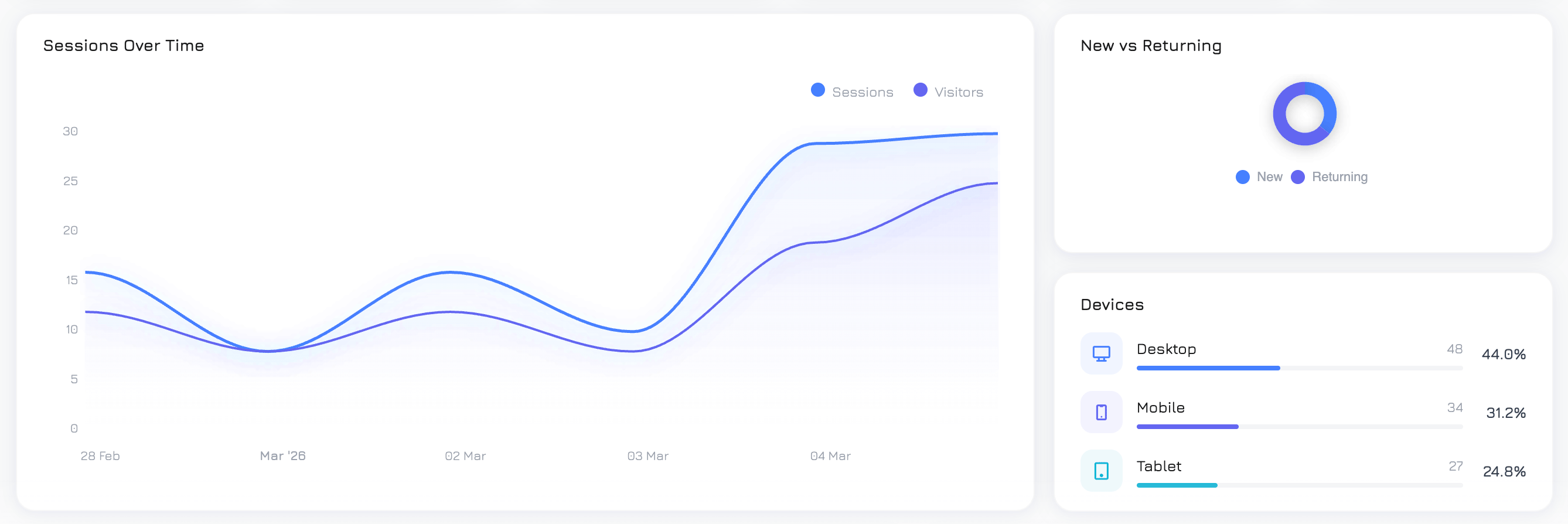
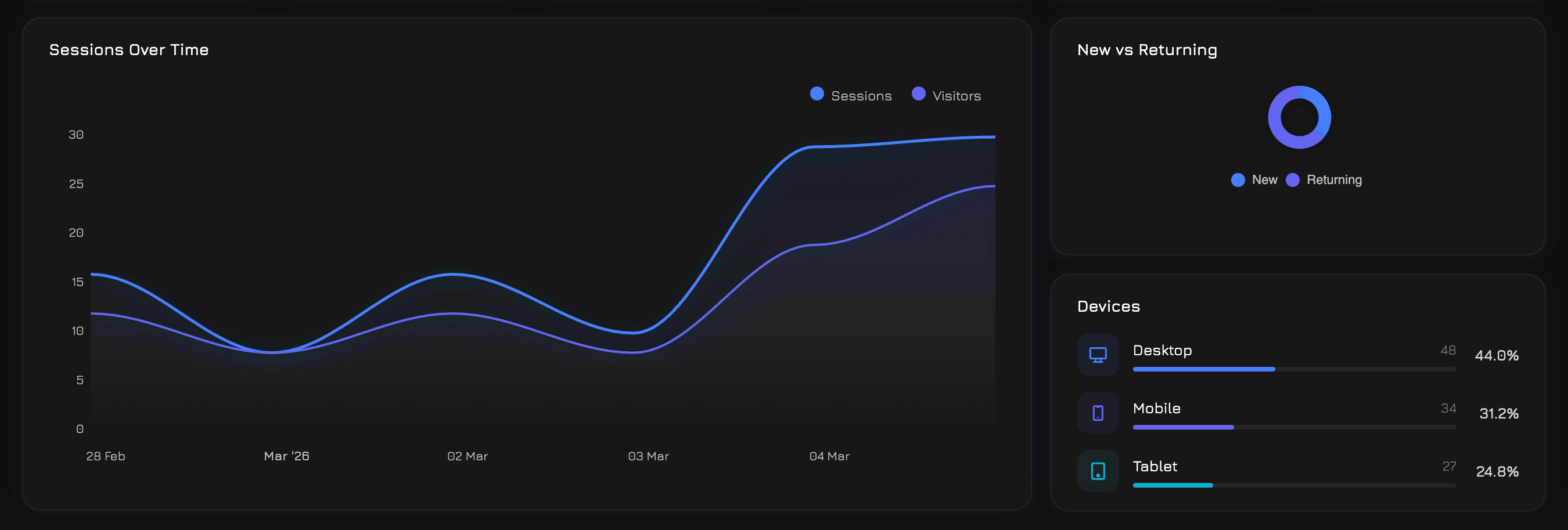
Sessions Over Time
An area chart showing traffic trends over the selected period. Two overlaid lines:
- Sessions — total sessions per day
- Visitors — unique visitors per day
Use this to identify traffic spikes, trends, and the gap between total visits and unique visitors (repeat visit ratio).
New vs Returning
A donut chart showing the split between:
- New visitors — first-time visitors (only 1 session ever)
- Returning visitors — visitors who have been to your site before (2+ sessions)
A healthy mix depends on your business: content sites aim for more returning visitors, while ad-driven landing pages expect mostly new visitors.
Top Pages
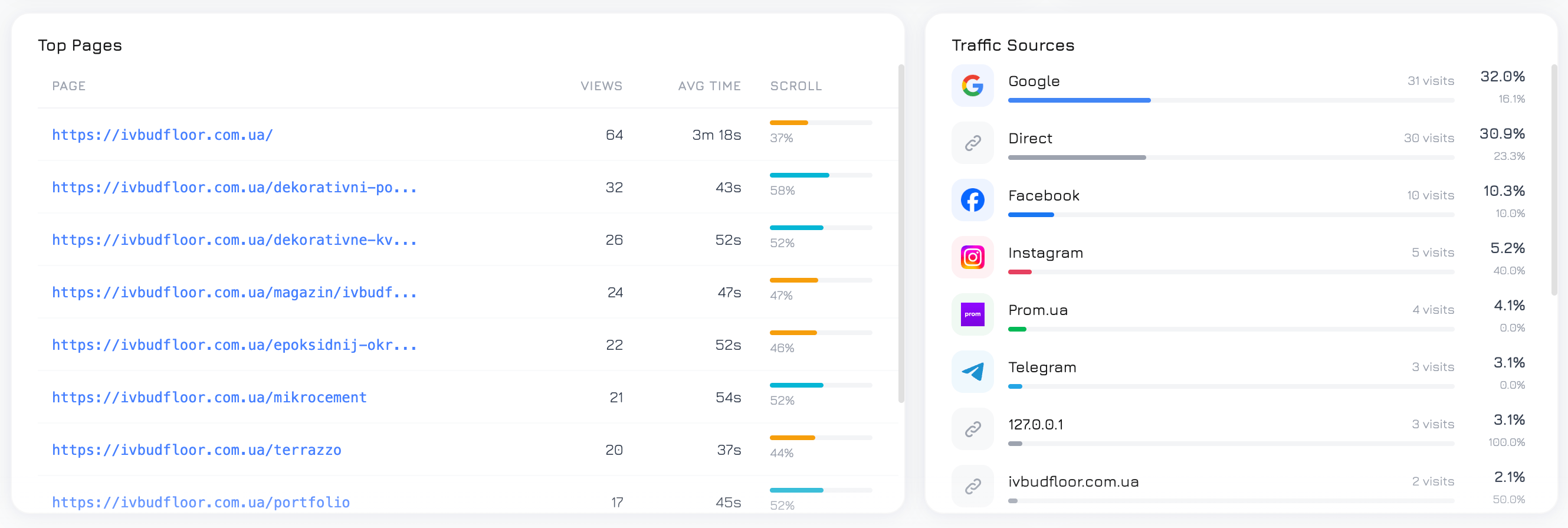
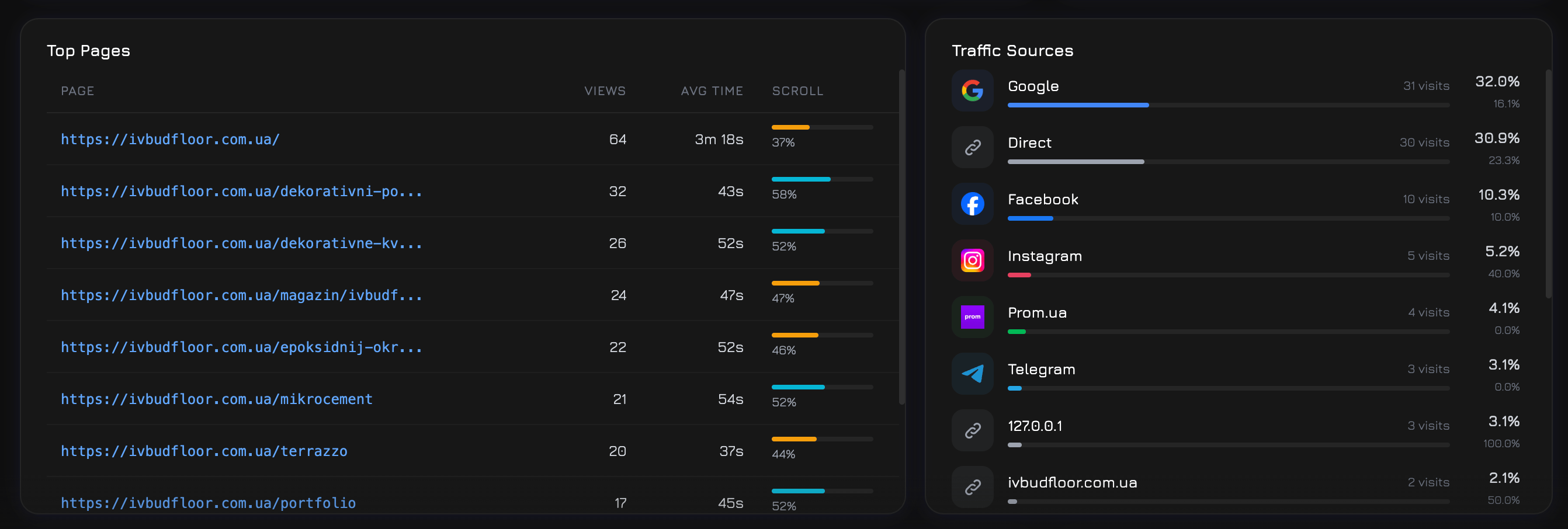
A table of the 10 most visited pages, showing:
| Column | Description |
|---|
| Page URL | The page path |
| Views | Total pageview count |
| Avg Time | Average time spent on the page (milliseconds converted to readable format) |
| Avg Scroll | Average scroll depth percentage — how far down visitors scroll |
Traffic Sources
Top 15 traffic sources by visitor count, with source logos (Google, Facebook, TikTok, etc.) and metrics:
| Column | Description |
|---|
| Source | Where the visitor came from (utm_source or referrer) |
| Visitors | Unique visitor count from this source |
| Bounce Rate | Percentage of single-page sessions from this source |
Visitor Globe
An interactive 3D globe visualization showing where your visitors are located. Countries with more traffic appear as brighter hotspots.
All Countries
A detailed list of countries with:
| Column | Description |
|---|
| Country | Flag icon and country name |
| Sessions | Total sessions from this country |
| Unique Visitors | Distinct visitors from this country |
Session Duration
A histogram showing how long visitors stay on your site, grouped into 6 buckets:
| Bucket | Description |
|---|
| 0–10s | Very short visits (likely bounces) |
| 10–30s | Quick glances |
| 30–60s | Brief visits |
| 1–3 min | Moderate engagement |
| 3–10 min | Good engagement |
| 10+ min | Deep engagement |
| Bucket | Description |
|---|
| 0–25% | Saw only the top of the page |
| 25–50% | Scrolled to the middle |
| 50–75% | Read most of the page |
| 75–100% | Reached the bottom |
Hourly Traffic
A 24-hour bar chart showing session distribution by hour of day (0–23). Identifies peak traffic hours — useful for scheduling campaigns, support staffing, or content publishing.
Top Events
A bar chart of the 6 most fired event definitions. Events are custom actions you define in the Events tab (clicks, form submissions, scroll triggers, etc.).
Trigger Activity
A bar chart of the 6 most active triggers. Triggers are automated actions (popups, overlays, alerts) that fire based on visitor behavior rules you define in the Triggers tab.
A table of the top 10 campaigns plus a (Direct / Organic) row for unattributed traffic:
| Column | Description |
|---|
| Campaign | Campaign name (from UTM parameters or manually created) |
| Sessions | Total sessions attributed to this campaign |
| Events | Number of tracked events fired in campaign sessions |
| Triggers | Number of trigger activations in campaign sessions |
| Phone Swaps | Phone number substitution events |
| Bounce Rate | % of single-page sessions |
| Avg Duration | Average session duration in seconds |
| Conversations | Number of chat conversations started |
| Conversion Rate | % of sessions with at least one conversion event |