

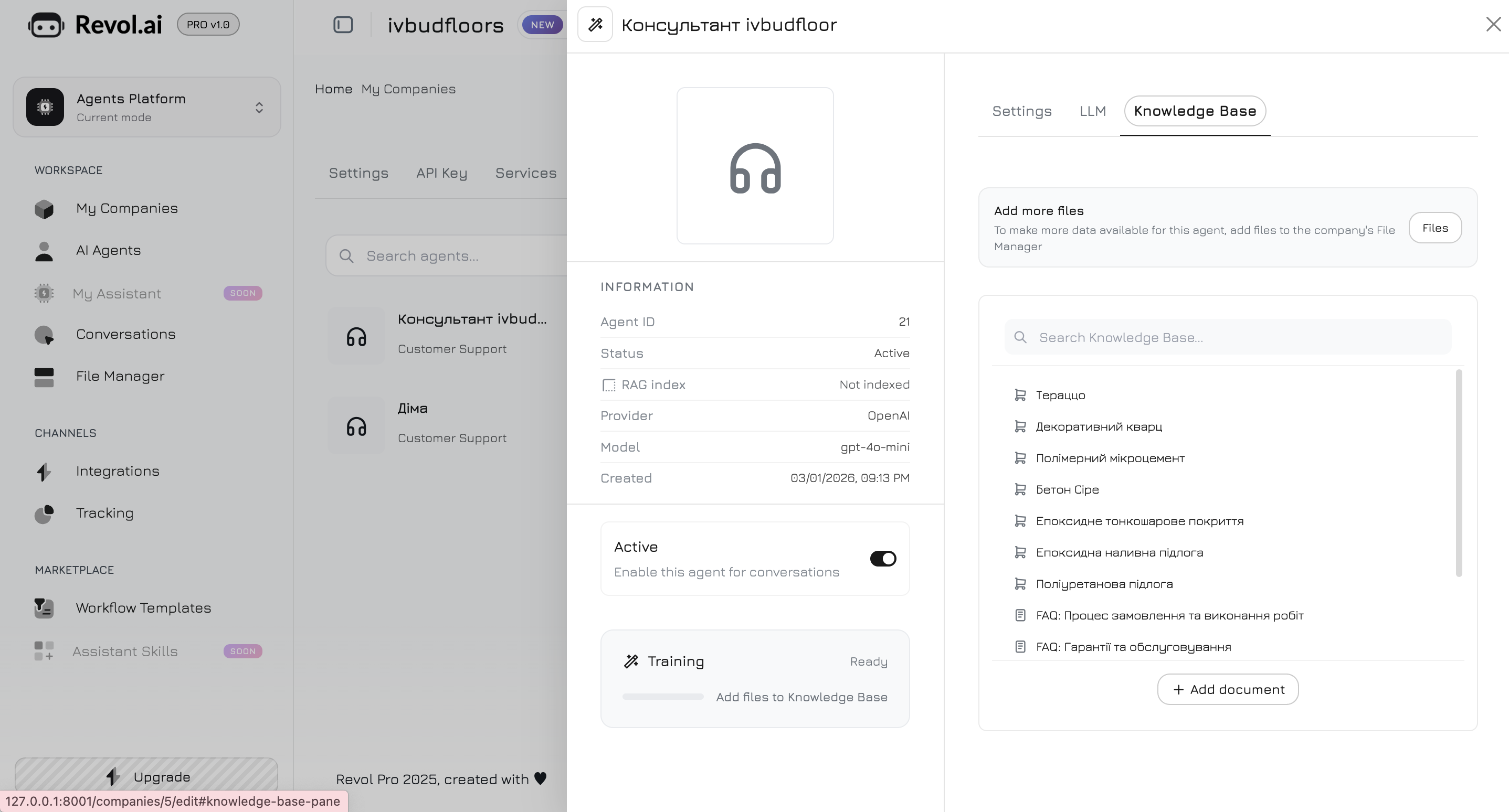
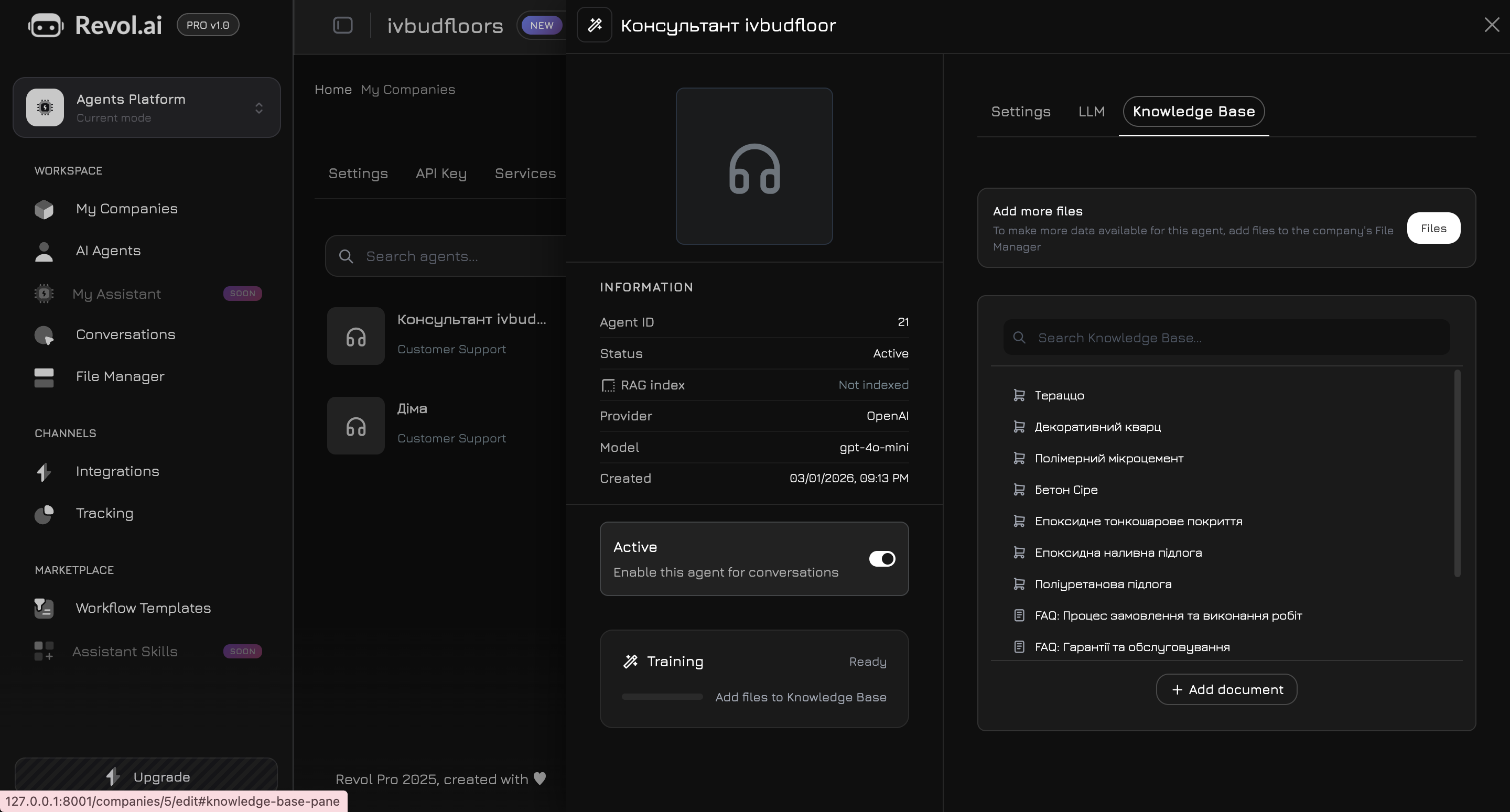
The Knowledge Base uses RAG (Retrieval-Augmented Generation) to give your agent access to your business content. Documents are split into chunks, converted to vector embeddings, and stored for semantic search.Navigate to the Knowledge Base tab in the agent panel. Here you choose which data the agent will use for its responses.
Choose which model converts your text into vector embeddings:
Model
Provider
Dimensions
Price
Best for
text-embedding-3-small
OpenAI
1536
$0.02/1M tokens
General use, English content
text-embedding-3-large
OpenAI
1536
$0.13/1M tokens
Higher accuracy, English content
BGE-M3
DeepInfra
1024
$0.01/1M tokens
Multilingual content (100+ languages)
Changing the embedding model deletes all existing embeddings for the company. You must re-train all agents after switching. A confirmation dialog will appear before the change is applied.
Maximum characters per chunk when splitting documents (500–10,000). Default: 1,500.Smaller chunks give more precise retrieval. Larger chunks preserve more context per result.
Overlap between consecutive chunks (0–40%). Default: 15%.Overlap ensures important context at chunk boundaries is not lost. Higher overlap creates more chunks and uses more storage.
Minimum cosine similarity score to include a result (0.1–1.0). Default: 0.35.Lower values return more results (better recall). Higher values return only highly relevant results (better precision). For multilingual content, use lower thresholds (0.3–0.4).
If you have project documentation (website pages, docs portal, README files, wiki) and want to turn it into a structured knowledge base for your Revol AI agent, you can use Claude Code to analyze the documentation and generate ready-to-upload TXT files.
Prompt for knowledge base generation
# Instruction: Generate Knowledge Base Files from Documentation## ContextI use Revol — a platform for building AI sales agents with RAG(Retrieval-Augmented Generation). My agent answers questionsusing a knowledge base: uploaded files are chunked (configurablesize and overlap), embedded via a selectable model (OpenAItext-embedding-3-small/large or BGE-M3), stored in PostgreSQLwith pgvector, and searched by cosine similarity at inference time.I need to convert my project documentation into a set of .txtfiles optimized for this RAG pipeline — so the agent can findand cite accurate answers.## How RAG Chunking Works (important for file structure)- Each file is split into chunks of ~2000 characters with 20% overlap at sentence boundaries- The file name becomes part of the embedding metadata — use descriptive names so the system can identify the source- Shorter, focused files perform better than one giant file- Each chunk should be self-contained — a reader should understand the chunk without needing the surrounding text- Structured content (lists, tables as text, clear headers) chunks better than long prose paragraphs## Your Task### Step 1: Analyze All DocumentationRead every documentation file in the project. For each file,identify:1. The topic it covers2. Key facts, settings, configurations, and values3. Step-by-step procedures4. Feature descriptions with specifics (limits, options, formats)5. Pricing, plans, and quotas (if applicable)6. Technical details (APIs, parameters, integrations)### Step 2: Plan the File StructureGroup related content into logical topics. Each file shouldcover ONE cohesive topic. Target file sizes:- Ideal: 2,000–6,000 characters per file (1–3 chunks)- Maximum: 10,000 characters (5 chunks)- If a topic is larger, split it into sub-topicsNaming convention: {Topic-Name}.txt- Use descriptive English names with hyphens- No numbering prefixes (ordering doesn't matter for RAG)- Name should hint at the content for metadataExamples:- Platform-Overview.txt- Getting-Started.txt- Pricing-Plans.txt- API-Authentication.txt- Webhook-Integration.txt### Step 3: Write the FilesFor each file, follow these rules:Content rules:- Start with a clear topic heading as plain text- Write in plain text — no Markdown formatting, no HTML, no JSX components- Convert tables to readable text lists or key-value pairs- Convert step-by-step guides to numbered lists- Include specific values: numbers, limits, prices, options, defaults, formats, URLs- Each paragraph or section should be understandable on its own (self-contained chunks)- Remove navigation elements, "Next Steps" links, and cross-references that don't add informational value- Keep the original language of the documentationOptimization for RAG:- Front-load important information — put the answer before the explanation- Use consistent terminology throughout all files- Repeat key terms naturally so they appear in multiple chunks (improves retrieval)- For features with settings: list setting name, type, default value, options, and description- For integrations: list provider, auth method, setup steps, available tools/functionsWhat to exclude:- Screenshots and image references- UI component markup (tabs, accordions, cards, frames)- "See also" and navigation links- Decorative text and marketing fluff- Duplicate content (don't repeat the same info in multiple files)### Step 4: Create the Output1. Create a temporary directory (e.g., temp-knowledge-base/)2. Write all .txt files into it3. List all files with their sizes and topic descriptions4. Provide a summary of total files and total size## Optional: Generate a Workflow Agent SeederIf the project uses Revol and you also need to create an AIagent with a workflow to answer questions about thisdocumentation, generate a Laravel database seeder that:1. Creates an AiAgent with: - Appropriate system prompt for documentation support - LLM: gpt-4o-mini, temperature: 0.3 (accuracy) - Personality: high clarity (8-9), high formality (6-7), low humor (2-3), low emoji (1-2)2. Builds a Smart Router workflow: - Start node with keyword-based edges to expert nodes - 3-6 custom "expert" nodes, each covering a topic group - Each expert has a specific conversation_goal describing its domain - Each expert has search_documents + get_company_info tools - One fallback edge to a General Assistant node - All experts connect to a Formatter node - Voice nodes (STT/TTS) inactive by default3. Keywords on edges should match the natural vocabulary users would use when asking about each topic## InputMy documentation is located at: [PATH OR URL]Project name: [NAME]Project description: [BRIEF DESCRIPTION]Target company_id for seeder: [ID or skip seeder]
This prompt works best with comprehensive documentation portals, product docs, API references, and knowledge bases. The generated .txt files are ready to upload directly to Revol’s File Manager — just drag and drop, then click Train.